Storage Cleaner. Duplicate Fil1.0.20
Continue to app
Free Version
Publisher Description

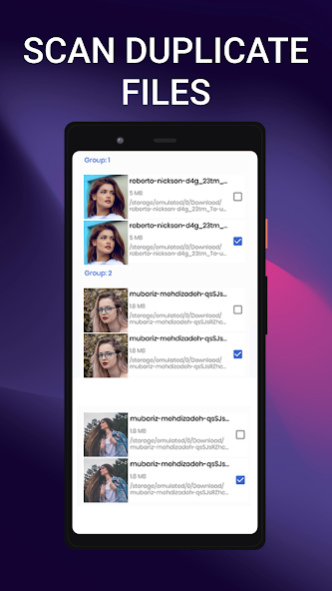
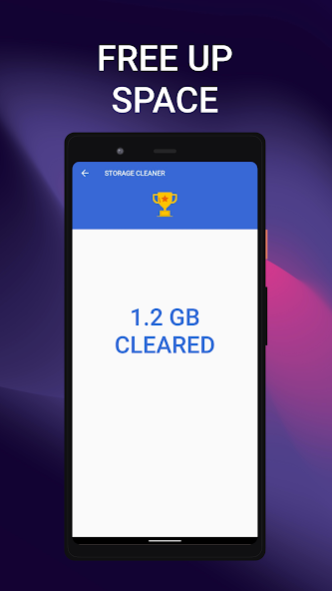
Key feature:
✔ Select types of files by category - photos, videos, audio, documents
✔ Powerful duplicate file finder and remover
✔ Fast scanning
✔ One tap for view duplicates
✔ Easy to find and delete Duplicate Files
✔ Multi-lingual support
About Storage Cleaner. Duplicate Fil
Storage Cleaner. Duplicate Fil is a free app for Android published in the System Maintenance list of apps, part of System Utilities.
The company that develops Storage Cleaner. Duplicate Fil is Applabz Ltd.. The latest version released by its developer is 1.0.20.
To install Storage Cleaner. Duplicate Fil on your Android device, just click the green Continue To App button above to start the installation process. The app is listed on our website since 2023-01-23 and was downloaded 1 times. We have already checked if the download link is safe, however for your own protection we recommend that you scan the downloaded app with your antivirus. Your antivirus may detect the Storage Cleaner. Duplicate Fil as malware as malware if the download link to com.samoukale.storagecleaner is broken.
How to install Storage Cleaner. Duplicate Fil on your Android device:
- Click on the Continue To App button on our website. This will redirect you to Google Play.
- Once the Storage Cleaner. Duplicate Fil is shown in the Google Play listing of your Android device, you can start its download and installation. Tap on the Install button located below the search bar and to the right of the app icon.
- A pop-up window with the permissions required by Storage Cleaner. Duplicate Fil will be shown. Click on Accept to continue the process.
- Storage Cleaner. Duplicate Fil will be downloaded onto your device, displaying a progress. Once the download completes, the installation will start and you'll get a notification after the installation is finished.
Program Details
System requirements
Operating systems
Android
Download information
File size
N/A
Total downloads
1
Pricing
License model
Free
Price
Version History
Here you can find the changelog of Storage Cleaner. Duplicate Fil since it was posted on our website on 2021-12-27. The latest version is 1.0.20 and it was updated on Soft112 on 30 October, 2026. See below the changes in each version:
